




Yogiyo can be the wrong app if you are a foreigner trying to order food in Korea without a Korean phone number.

  1. Send a screenshot of where you’re stuck
  2. We do it on a verified Korean account
  3. You get it, with photo proof

Real people we’ve helped

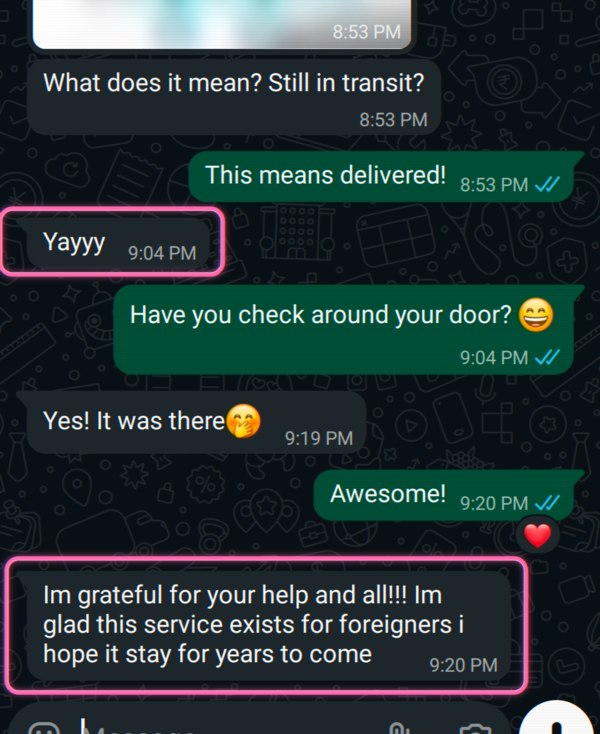
🇩🇪 Germany · Package help: “so glad this service exists for foreigners”
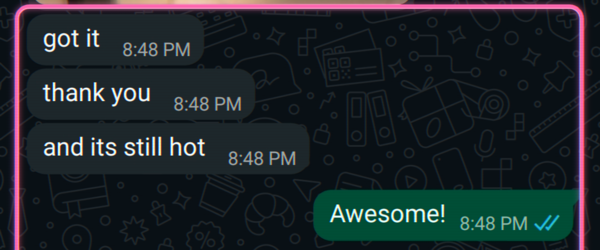
🇮🇳 India · Food delivery: “and it's still hot!”
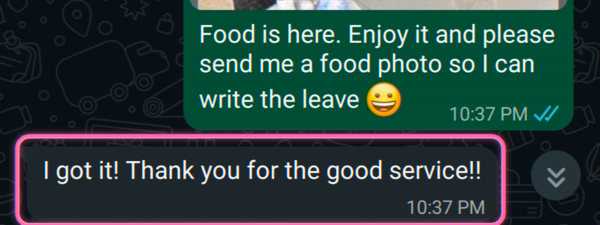
🇧🇪 Belgium · Food delivery: “thank you for the good service!”
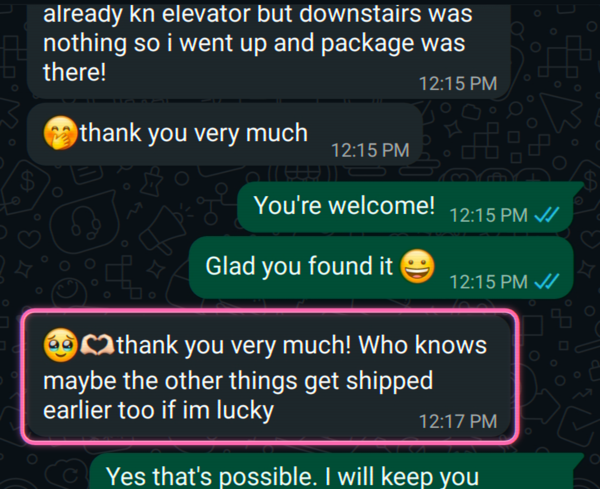
🇩🇪 Germany · Parcel tracking: “thank you so much!”
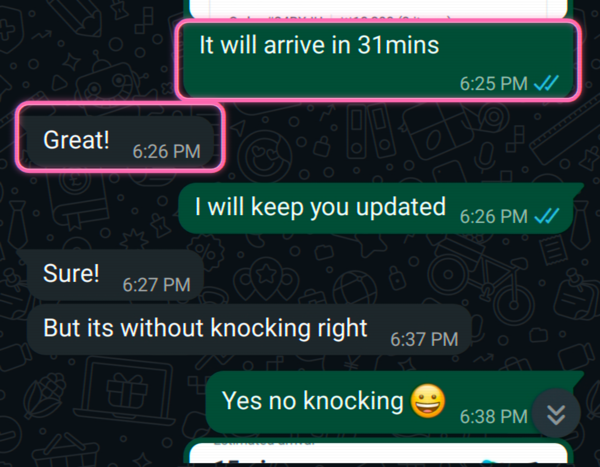
Food delivery · we tracked the arrival time and the “leave at the door, no knock” request, live
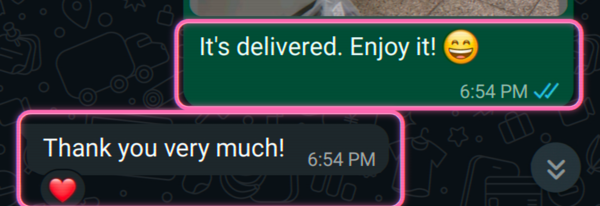
Food delivery · delivered, “thank you so much ❤️”
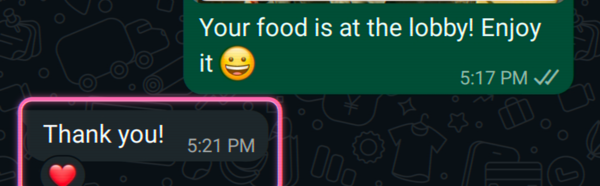
Food delivery · brought up to the lobby, “thank you ❤️”

Real messages from Toyoni customers, shared anonymously.

Rather we just handle it for you?

If you downloaded Yogiyo to order dinner and hit a screen asking for “본인인증 / Identity Verification, Korean phone number required,” that is the real problem, not a glitch. In English, Japanese, Spanish, Portuguese, and Chinese, people search the same thing: how to order Korean food delivery without a Korean phone, ARC, or Korean card. Here is the answer for Yogiyo, including what most guides will not tell you: they say “use Yogiyo,” then quietly send you to a different app.

What stops you

Yogiyo’s own FAQ is blunt. First-time members have to prove their ID once: “요기요 첫 주문 회원의 경우 주문시 최초 1회 본인인증이 필요합니다.” That is 본인인증, and you can only do it “as a customer registered with an Alien Registration Card and a phone in the same name.” So you need both an ARC and a Korean phone number in the same name, and prepaid SIMs cannot pass (“본인명의 인증이 불가한 기기: 선불 휴대폰”). Checkout then makes you confirm a code by text, and even with English in the app-store listing, the ID-check and checkout screens you have to get through run in Korean only. On top of that, payment is its own problem: “해외카드는 이용이 어렵습니다,” foreign cards are hard to use.

That is the ID check, phone, and payment trio, all real, all confirmed from the live FAQ.

Can you do it yourself?

Sometimes, if you pick the right way and accept the trade-offs.

  • Shuttle Delivery is the app that truly works for foreigners: shuttledelivery.co.kr, English app, Visa/Mastercard/PayPal, no Korean number. The catch: it is a different company, not a Yogiyo mode, so its restaurant list is not Yogiyo’s. It only covers a few areas (mainly Itaewon, Gangnam, Hongdae), fees cost more, and the place you actually want may not be listed.
  • The Yogiyo website plus cash on delivery is the most-shared Yogiyo trick: order on the web (not the app) and pick pay-cash-on-delivery. It can skip the in-app card and ID steps. Know what you are getting: people found this on Reddit and Xiaohongshu, not Yogiyo’s official flow, it does not always work, and you still need a phone number the driver can actually reach.
  • Coupang Eats in English sometimes works for foreigners and sometimes still asks for a Korean card. Worth a try alongside Yogiyo.
  • If you are a Chinese user: the Alipay/WeChat “global payments” option is on Baemin, not Yogiyo. Do not assume Yogiyo takes WeChat Pay: its FAQ still says foreign cards are hard.

When doing it yourself will not work

Use a verified account (or Toyoni) when:

  • you want a specific restaurant that is on Yogiyo but not on Shuttle (better coverage or menu);
  • 본인인증 fails because you have no ARC, or only a prepaid tourist SIM;
  • payment will not go through: foreign card declined and cash on delivery is not offered for that order;
  • the driver cannot reach you because you have no verified Korean line to take the call;
  • the Korean-only checkout stalls you and you cannot tell what you are confirming.

How Toyoni helps

We place and manage the Yogiyo order for you on an account that passes the Korean ID check, handle the Korean checkout and a card that actually goes through, and pass the driver’s calls and updates straight to you, so you get the exact restaurant you wanted, not a close-enough swap. It beats “ask your Airbnb host” or grey-market 代点 proxies: you get a real order and proof it is on the way, and if something truly cannot be done, we tell you straight.


Is this safe? Yes, here's how

  • You don't hand over any Korean ID, number, or card. We use our own verified Korean account to do it. That's the whole point of Toyoni.
  • You share only what the task needs. For delivery, we need the address it goes to. Nothing else.
  • You pay through Stripe. The same secure checkout used by Amazon, Google, and Shopify. You enter your card on Stripe's own page, so Toyoni never sees or stores it.
  • Delete anytime. Ask us to remove anything we hold, whenever you want.

More in our Privacy Policy.

FAQ

Can I order on Yogiyo without a Korean phone number?

Not in the app. Yogiyo's FAQ says first-time members need to prove their ID once with 본인인증, and you can only do it with an ARC and a Korean phone in the same name. Checkout also makes you confirm a code by text ('휴대 전화 번호를 인증해 주세요'). It used to be looser, but today no Korean line means no in-app order. The trick people share is the Yogiyo website with pay-cash-on-delivery (see below).

Will my foreign Visa or Mastercard work on Yogiyo?

Usually no. Yogiyo's FAQ says it plainly: 'foreign cards are hard to use' (해외카드는 이용이 어렵습니다). If you have heard Alipay or WeChat Pay now work for Korean food delivery, that is Baemin, not Yogiyo, so do not assume Yogiyo takes them.

I bought a tourist SIM, so why does the ID check still fail?

Yogiyo says straight out that prepaid phones cannot pass the ID check ('본인명의 인증이 불가한 기기: 선불 휴대폰'). A prepaid tourist SIM is not in your name, so 본인인증 fails, and if the driver cannot reach you, the order gets cancelled. This trips up a lot of travelers.

Can I use Yogiyo in English?

Mostly no. App-store listings now show English, but the screens that decide whether you can order (the ID check and checkout) still run in Korean only, and no Yogiyo Global gets rid of them. The app that truly works in English for foreigners is Shuttle Delivery, a separate company with a different, smaller list of restaurants.

What if payment fails after I pick food on Yogiyo?

That happens a lot. Yogiyo's FAQ says 'foreign cards are hard to use' (해외카드는 이용이 어렵습니다), so a foreign Visa or Mastercard often gets declined at the last step. The trick people share is ordering on the Yogiyo website and paying cash on delivery, but it does not always work and cash on delivery is not offered for every order. When the card will not go through and cash is not an option, we place the order for you on an account that passes the Korean ID check, with a card that works.

Is there an English Yogiyo app for foreigners?

No Yogiyo Global or English app gets rid of these rules. App-store listings may show English, but you still need a Korean phone tied to your ID, and foreign cards are limited. The app that truly works for foreigners is Shuttle Delivery, a separate company.

What it costs

From $7. You always get a fixed quote before you pay. Pay per task, no subscription, no account. If we can’t do it, you’re not charged.

Stuck on Yogiyo?